> For the complete documentation index, see [llms.txt](https://docs.lightact.com/llms.txt). Markdown versions of documentation pages are available by appending `.md` to page URLs; this page is available as [Markdown](https://docs.lightact.com/integrations/network/tuio.md).
# TUIO
TUIO is an OSC-based protocol commonly used to transmit data from touch user interfaces.
TUIO has only a receiver device which means it can only receive data.
## Receiving TUIO
Workflow and settings are similar to previous devices
### Setup in the Devices window
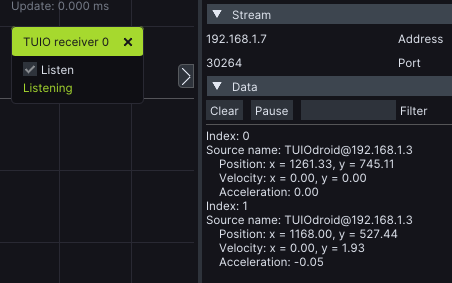
Insert a **TUIO Receiver** node and after you set *Stream* parameters check the **Listen** checkbox.
On this screenshot, we are receiving data from the TUIO sender application.
### Setup in the Layouts window
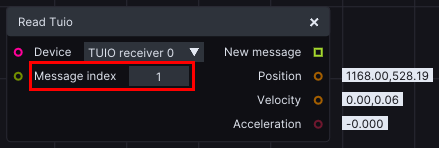
Insert a **Read TUIO** node and choose the device in **Device** input. After this, you can set the **Message index**. This index simply fetches the message, where multiple messages can be received.