> For the complete documentation index, see [llms.txt](https://docs.lightact.com/llms.txt). Markdown versions of documentation pages are available by appending `.md` to page URLs; this page is available as [Markdown](https://docs.lightact.com/integrations/network.md).
# Network
LightAct has integrated various network messaging protocols such as OSC, TCP, UDP and TUIO. In general, the workflow is very similar for all of them. First, we are going to set up everything in the *Devices* window and then proceed to the setup in a *Layer* layout.
### Setup in Devices window
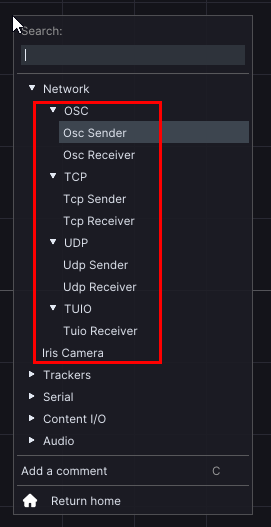
In order to create the device node, right-click on the *Device* window and choose a device under the *Network* category.
### Setup in Layer Layouts
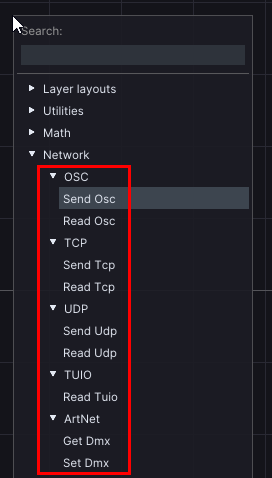
In order to create the layer node, right-click on the *Layer* window and choose a node under the *Network* category.
In the next chapters, we will go through the workflow for each device.