> For the complete documentation index, see [llms.txt](https://docs.lightact.com/llms.txt). Markdown versions of documentation pages are available by appending `.md` to page URLs; this page is available as [Markdown](https://docs.lightact.com/content-mapping/content-mapping-overview.md).
# Content mapping overview
By Content mapping we mean the path that a texture takes to get from a layer in a timeline to a Viewport object. How a texture gets from a Viewport object to a physical display is covered in [Output Maps chapter](/output-setup/output-setup-overview.md).
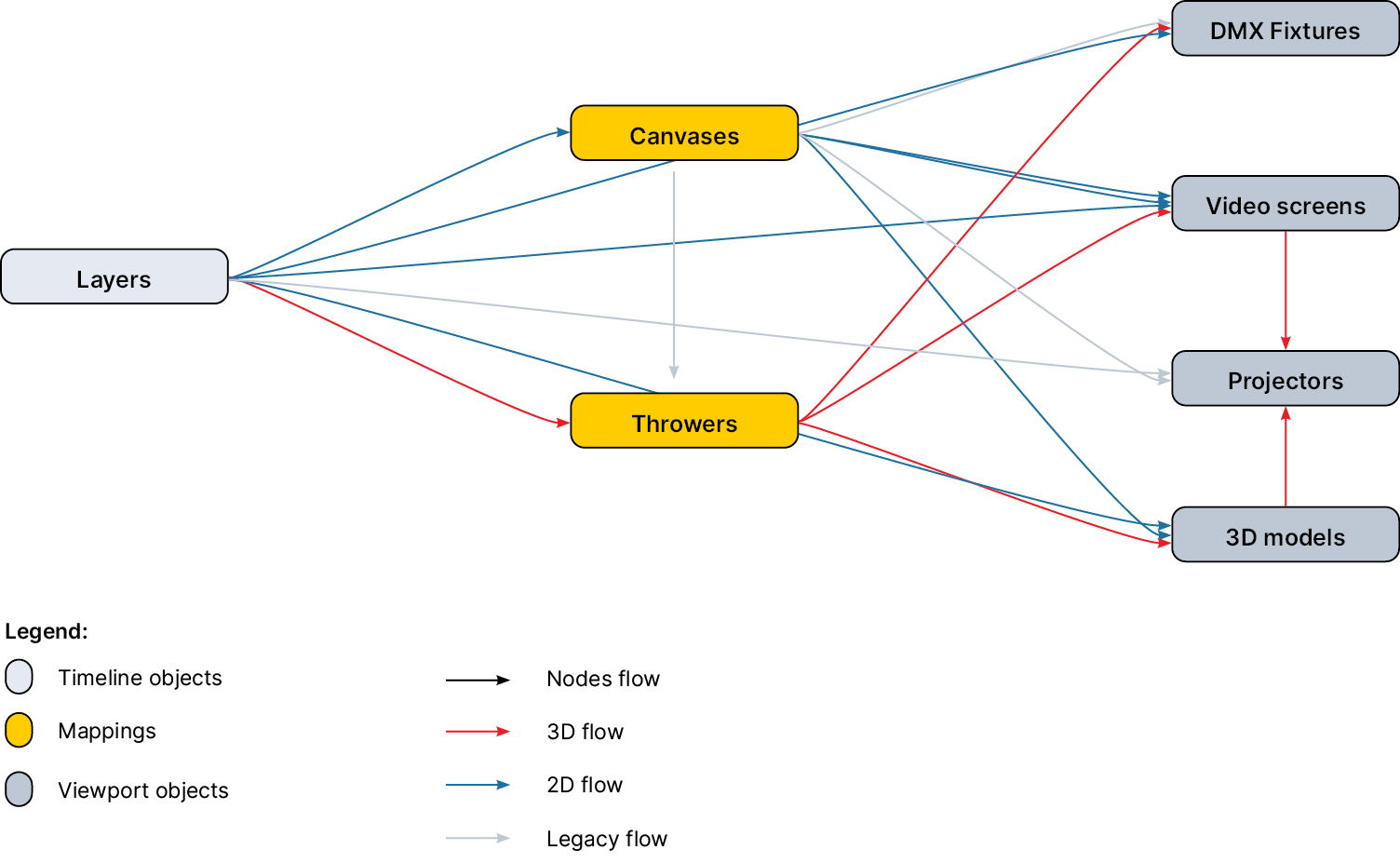
This image shows there are 3 ways:
1. **Direct mapping**: direct mapping is when content is rendered directly to Viewport object
2. **Canvas mapping**: canvas mapping is a 2D workflow where content is first rendered to a 2D texture of a Canvas and then from there, in various configurations, to viewport objects. Canvas maps allow you to splice, cut and modify the texture from the canvas before it is rendered to the Viewport object
3. **Throwers**: throwers are a type of mapping that takes 3D position of the viewport objects in consideration.
## Direct mapping
To map a layer directly onto a viewport object simply select it in the **Mapping** variable.
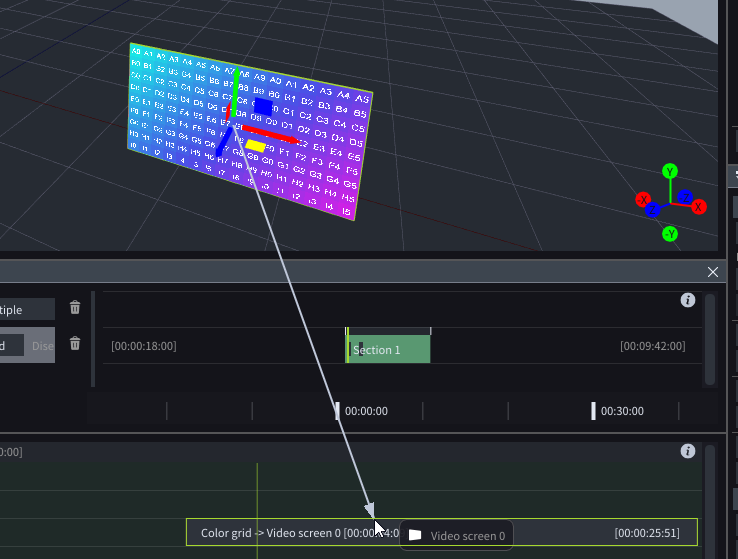
You can also do the same thing by dragging from the Viewport object to the layer.
{% hint style="info" %}
**Good to know**: if you use Direct mapping, then a layer can only be mapped onto one object at the same time. If you want to map a layer to 2 objects, you can use:
* **Canvas Maps**: the most common and recommended approach
* **Texture to mapping layer template**: requires knowledge of layer connections
{% endhint %}