> For the complete documentation index, see [llms.txt](https://docs.lightact.com/llms.txt). Markdown versions of documentation pages are available by appending `.md` to page URLs; this page is available as [Markdown](https://docs.lightact.com/layers-and-layouts/layer-layouts.md).
# Layer Layouts
*Layer Layouts* gives you the power to create, ingest, import and process content and data in a completely flexible way. With various *nodes*, you can build complex behavior and even conditional action flows.
{% hint style="info" %}
**Good to know**: Layer Layouts allow you to modify existing layer templates or create your own from scratch.
{% endhint %}
We can access *Layer Layout* window by double-clicking on any **Layer** in the Timeline.

On the right-hand side of the window, you can see the **Layer Variables**.

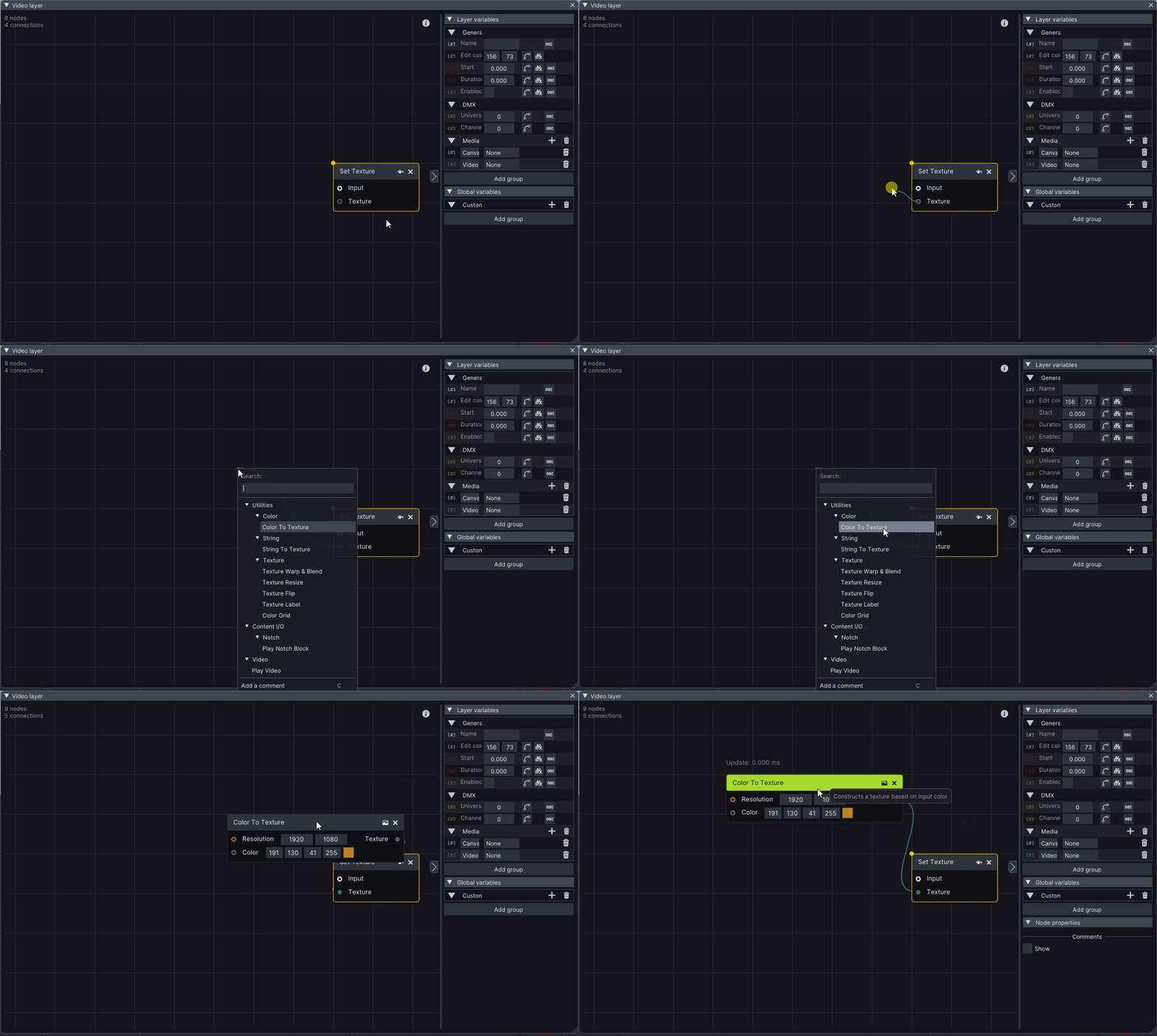
If we right-click somewhere in the **empty area** of a *Layer Layout*, a popup window appears, where we can browse a library of nodes. You can quickly find the desired node by typing its name in the **Search window**.
You can **drag** from a *node's output* or *input* and drop it somewhere on a *Layer Layout* to get new node recommendations. You can learn more about nodes in the [Nodes ](/layers-and-layouts/layer-layouts/nodes.md)chapter.
{% hint style="info" %}
**Good to know**: by far the best way to learn about node programming is to participate in one of our [Training sessions](https://lightact.com/lightact-training/).
{% endhint %}