> For the complete documentation index, see [llms.txt](https://docs.lightact.com/llms.txt). Markdown versions of documentation pages are available by appending `.md` to page URLs; this page is available as [Markdown](https://docs.lightact.com/quick-start/overview-of-content-pipeline.md).
# Content flow
LightAct uses a flexible and powerful multi-stage content pipeline that has been fine-tuned for performance. In this article we will go through the basic concepts, terminology and how it all comes together.
## Ingesting content into LightAct
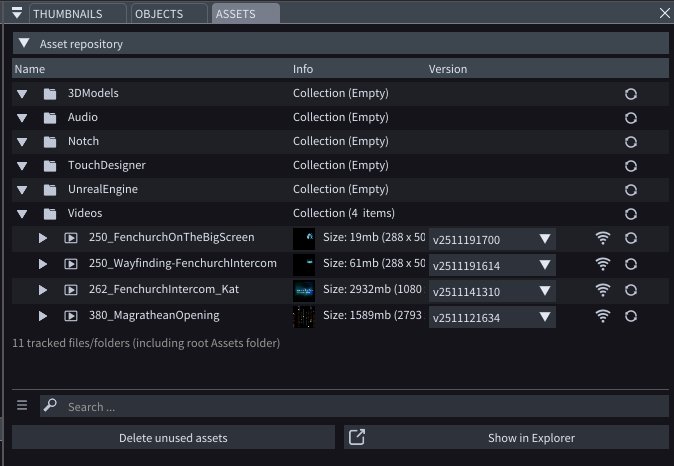
As a media server, perhaps the most standard way for LightAct to ingest content is through Assets repository.
These assets are then played back in Layers.
LightAct can also ingest content through *Device* nodes such as NDI, Spout or Unreal Texture Share.
The content from Device nodes is also processed by LightAct's layer system.
## Layers
Layers are a central element in LightAct. They reside in Timelines and all the content that you want to play and all the data that you want to process will have to at some point pass through LightAct's layer system.
## Content Mappings
Layers can render the content to viewport objects, canvases or throwers. If they render content directly onto viewport objects, for example, video screens, we call this Direct mapping. So, there are 3 types of mappings:
* **Direct mappings**: if layer renders directly onto a viewport object
* **Canvases**: a texture container that allows you to map the texture or parts of it onto various viewport objects
* **Throwers**: a virtual viewport object that 'projects' content onto viewport objects.
## Other content destinations
Layers can also render content to Device nodes. This is the usual workflow when you want to send a content through NDI or video IO cards (such as Deltacast or Blackmagic).Please note all of the above can also get content with **Set Texture** nodes.