> For the complete documentation index, see [llms.txt](https://docs.lightact.com/llms.txt). Markdown versions of documentation pages are available by appending `.md` to page URLs; this page is available as [Markdown](https://docs.lightact.com/quick-start/terminology.md).
# Terminology
A description of some of the most commonly used terms in LightAct
## **Timeline**
Timelines are where you sequence and composite content (layers), events and actions. LightAct can have several independent timelines. In every timeline you can have one or several:
* Tracks
* Sections
* Layers
* Markers
### **Timeline group**
Timeline group is a group of one or more Timelines. It is used to control syncing to external timecode sources and to control playstates of Timelines in that Timeline group.
### **Track**
Each Timeline is divided into several Tracks. On each track you can have one or several layers.
### **Layer**
A *layer* is an entity that exists in a *Timeline* and has a beginning and an end (determined by the **Duration** parameter). A *layer* can perform a variety of functions such as content processing & playback, video/image/image sequence/Notch block reading and playback or just some logic.
{% hint style="info" %}
**Good to know**: Layers in LightAct are called Layer Templates and you can easily create your own.
{% endhint %}
### **Layouts**
Layouts are LightAct's node-based system. You can find them in:
* Layers
* Mappings (in Canvas Maps and Output Maps windows)
* Projectors
### **Variable**
A LightAct variable is a container holding information. The information can be a number (integer or float), color, texture or something else.
There are 2 types of variables:
* **Layer variables** are available only within one layer
* **Global variables** can be accessed anywhere
### Section
Section is part of a timeline. Very often sections also serves as cues.
### **Marker**
A *Timeline marker* indicates a position on a Timeline.
## **Viewport**
Serves as the visual preview area where you can see how your compositions and mappings will appear in the real world.
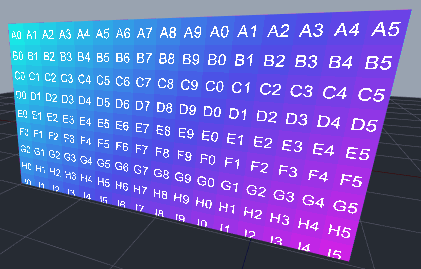
### **Video screen**
A *video screen* is a virtual representation of a physical video screen.
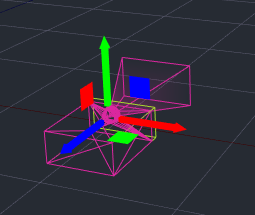
### **Thrower**
A *thrower* is a helper virtual object that facilitates mapping of content onto various viewport objects by taking into account their position in the 3D scene of the viewport.
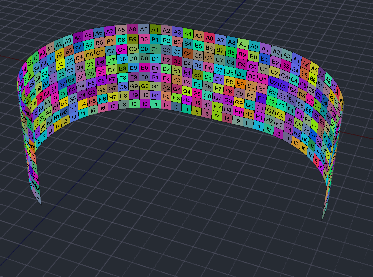
### **3D model**
A *3D model* is a virtual representation of a physical object. *3D models* are usually imported as an *.fbx* or .*obj* assets.
### **Primitive**
A *primitive* is a simple 3D model of a cube, a plane, a sphere or a cone.
### Null object
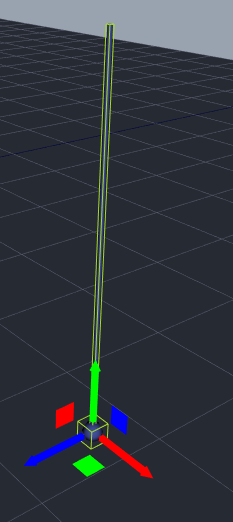
A *null object* is an ‘empty’ object that can be used as a container of other objects.
It allows you to group objects and move them together.
### **Marker in Viewport**
A *viewport marker* indicates a 3D position in the *Viewport window*.
## **Other**
### **Canvas**

A *canvas* is an entity that holds one texture. The texture can be of an arbitrary resolution. In most cases, content is rendered on a canvas through the Layers.
Content is then rendered to various viewport objects through Canvas maps window.
### **Assets**
Asset is an external resource that LightAct uses in a specific project. Examples include:
* images, image sequences or video files,
* Notch blocks, or TouchDesigner components,
* Audio files,
* 3D models or
* Unreal Engine projects.
### **Video output**
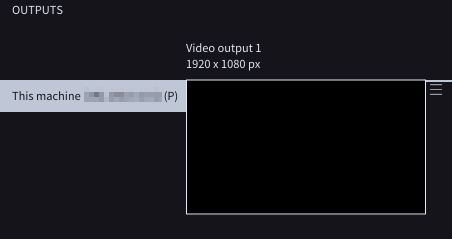
*Video output* is a virtual representation of a physical output on the system’s GPU.
## **DMX**
*DMX* stands for DMX512, which is a communication standard commonly used to control lighting and effects.
### **Art-Net**
*Art-Net* is a UDP based protocol used to transmit DMX data over Ethernet. It was developed by Artistic License.
### **sACN**
*sACN* is a UDP based protocol used to transmit DMX data over Ethernet. It was developed by ESTA. In many aspects it is comparable with Art-Net.
### **Fixture**
*Fixture* refers to a *DMX light fixture*, i.e. a light fixture controlled by DMX.