> For the complete documentation index, see [llms.txt](https://docs.lightact.com/llms.txt). Markdown versions of documentation pages are available by appending `.md` to page URLs; this page is available as [Markdown](https://docs.lightact.com/assets/3d-model.md).
# 3D models
LightAct supports **.fbx** and **.obj** 3D formats and to an extent .dae.
{% hint style="info" %}
**Good to know:** FBX is the preferred format and the one that has the best support.
{% endhint %}
If you want to apply content on a 3D model, you need to properly UV map it and make sure that the normals are facing the correct way.
{% content-ref url="/pages/AVPOojBw13MUZT8vZQFC" %}
[UV Mapping of 3D Models](/assets/3d-model/uv-mapping-of-3d-models.md)
{% endcontent-ref %}
## Render mode
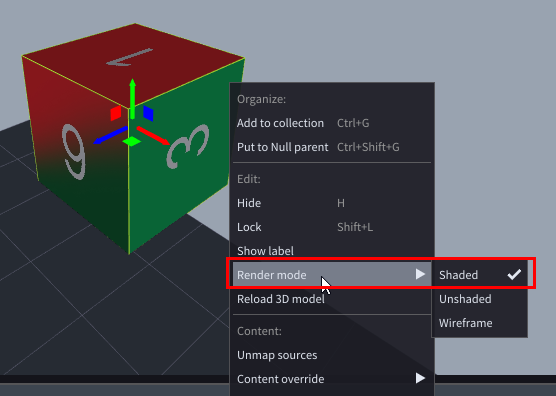
By default LightAct uses **Shaded Render mode**, as it is the most appropriate for general visualisation in the Viewport.
{% hint style="warning" %}
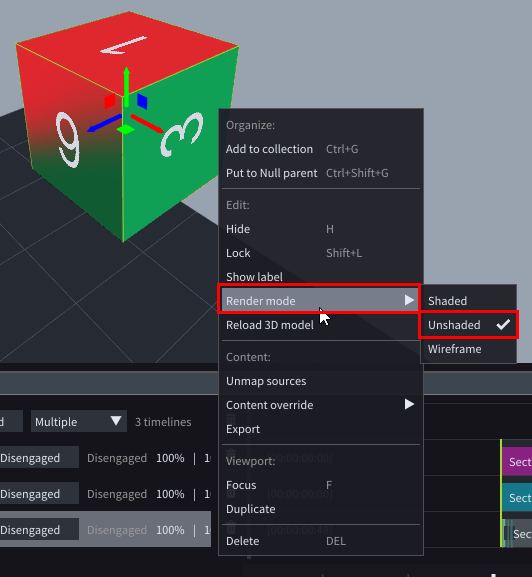
If the 3D model is a Source for a projector, always use **Unshaded** render mode. Otherwise the content won't look as intended.
{% endhint %}