> For the complete documentation index, see [llms.txt](https://docs.lightact.com/llms.txt). Markdown versions of documentation pages are available by appending `.md` to page URLs; this page is available as [Markdown](https://docs.lightact.com/release-changelogs/lightact-4.16/lightact-4.16.b1.md).
# LightAct 4.16.B1
{% hint style="info" %}
LightAct Changelogs are written by humans and artifical intelligence. Read more about how Changelogs are created [here](https://docs.lightact.com/release-changelogs/how-are-changelogs-generated).
{% endhint %}
This changelog was created on **20 July 2026**. It includes **7 Epics** and **51 upgrades**.
***
## Iris 2.0
Camera calibration has been fully upgraded for improved accuracy and robustness. It now supports generating a point cloud of the projection object, enabling richer 3D analysis, verification, and seamless integration into downstream workflows.
### Features
There are 1 new features in this epic.
#### LA4-6931: Iris V2.0
Iris camera calibration has been reworked from the ground up. Now you can obtain a point cloud of the projection object which then allows you to check if your 3D model is correct. This feature will be explained in a dedicated tutorial.
**Status:** *Done*
***
## Prop Or Screen 3d Asset
Introduced distinct 3D model categories for clearer workflows and better performance:- Props: Shaded render mode without textures.- Projection objects: Unshaded mode with a texture framebuffer. This separation streamlines authoring and optimizes resource usage.
### Features
There are 2 new features in this epic.
#### LA4-6884: 3dmodels With Subobjects
Importing an FBX with submodels now creates separate objects in the Objects panel, all parented to a Null named after the asset. The Null’s position is set normally in the Viewport, while child objects preserve their original relative offsets, enabling workflows as if they were independent files.
**Status:** *Done*
#### LA4-6821: Props
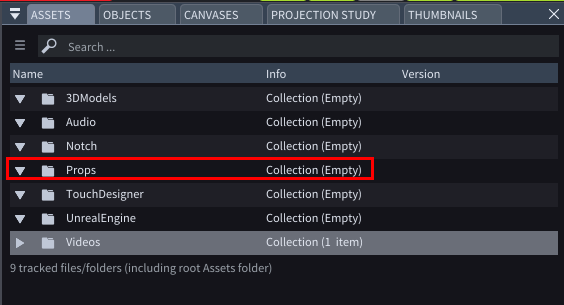
Introduces a Props workflow. Place FBX/OBJ files in the new Assets/Props subfolder; they appear as a Props collection in the Assets window. Props resemble 3D Models but with key differences: when added to the Viewport their default mode is Shaded, they have no textures or FBO, and cannot receive mapped content. They do not appear in Maps windows and have no FBO/resolution settings. Multi-part files are always treated as a single object.
**Status:** *Done*
### Improvements
There are 1 new improvements in this epic.
#### LA4-4672: Unshaded Mode Default For 3d Modele
3D Models now default to the Unshaded render mode making them immediately useful for projection mapping.
**Status:** *Done*
***
## Projector Workflow Improvements For 4.16
Projection mapping is now faster and more precise. Streamlined setup, improved calibration and alignment, enhanced edge blending and warping, and smarter presets cut setup time while boosting accuracy, stability, and overall performance across complex multi-surface projects.
### Features
There are 3 new features in this epic.
#### LA4-7078: Render Wireframe Checkbox
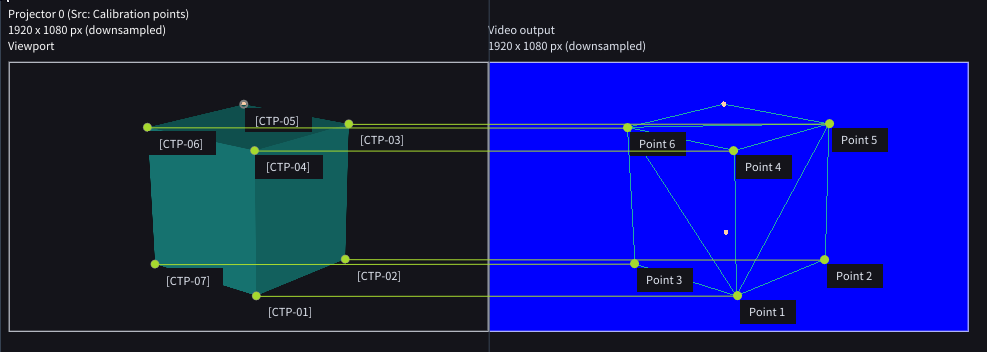
When doing 3DCal you can now render the wireframe of the Projection object on top of the 3DCal background for quick assessment of the precision of 3dCal.
**Status:** *Done*
#### LA4-7012: 3dcal Algorithms
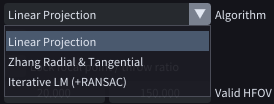
Added multiple 3DCal algorithms with a new Algorithm dropdown. It has the following options: Linear Projection, Zhang Radial & Tangential and Iterative LM (+RANSAC).
**Status:** *Done*
#### LA4-6515: Projector Mask Objects
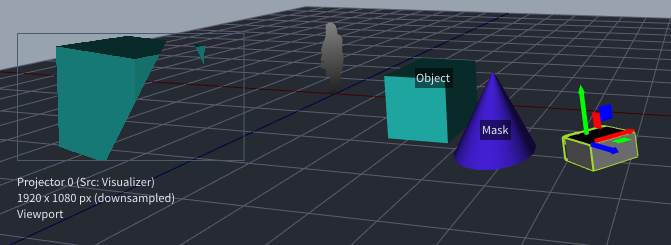
Projectors now support Projection Masks, allowing you to hide/mask out any content behind the projector relative to its field of view.
**Status:** *Done* | **Requesters:** *SBA*
### Improvements
There are 2 new improvements in this epic.
#### LA4-5243: Projector Moving
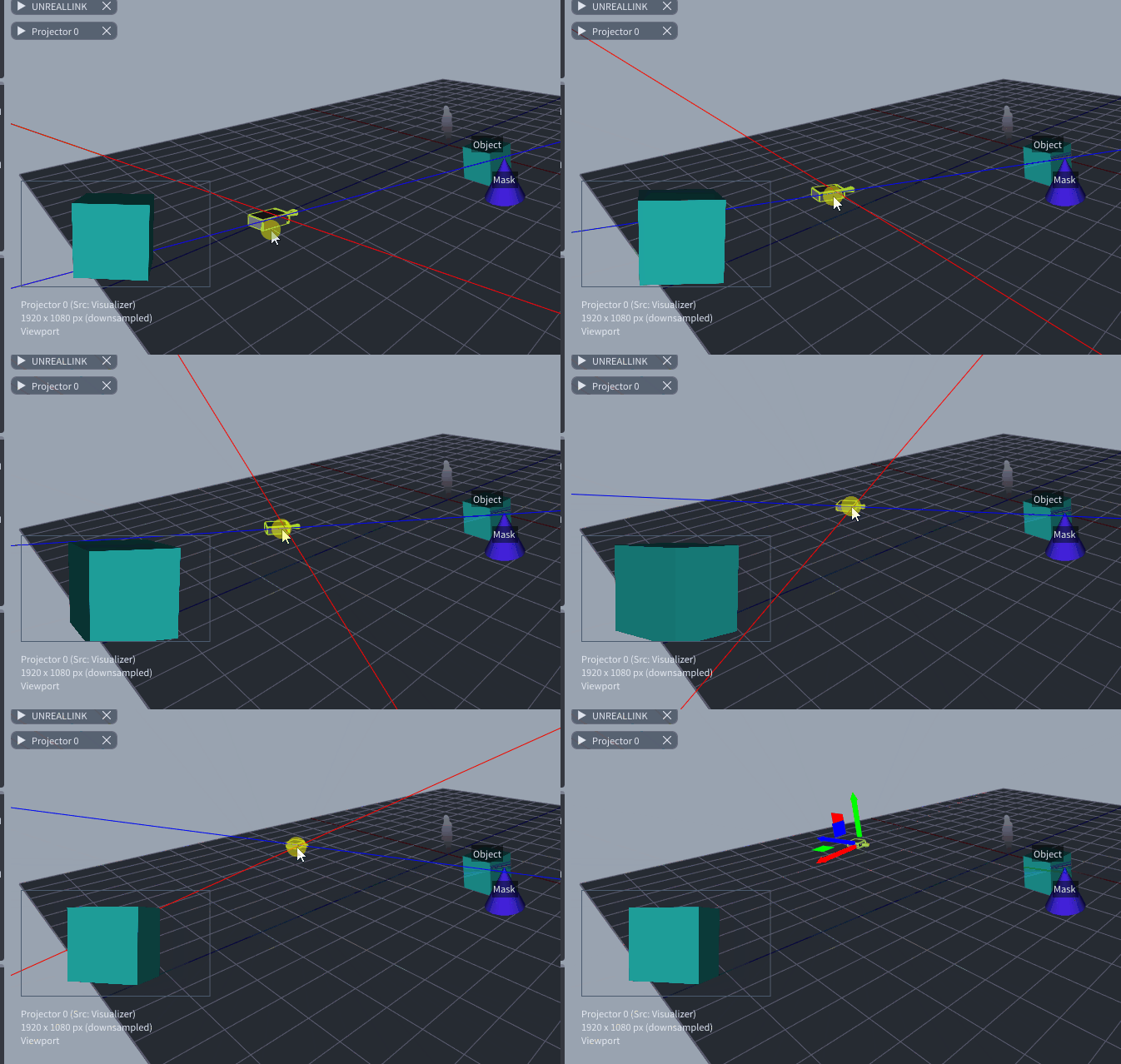
Projectors now auto-aim towards their projection object when you move them around the Viewport.
**Status:** *Done* | **Requesters:** *RIG*
#### LA4-7048: Grab Only Visible Points
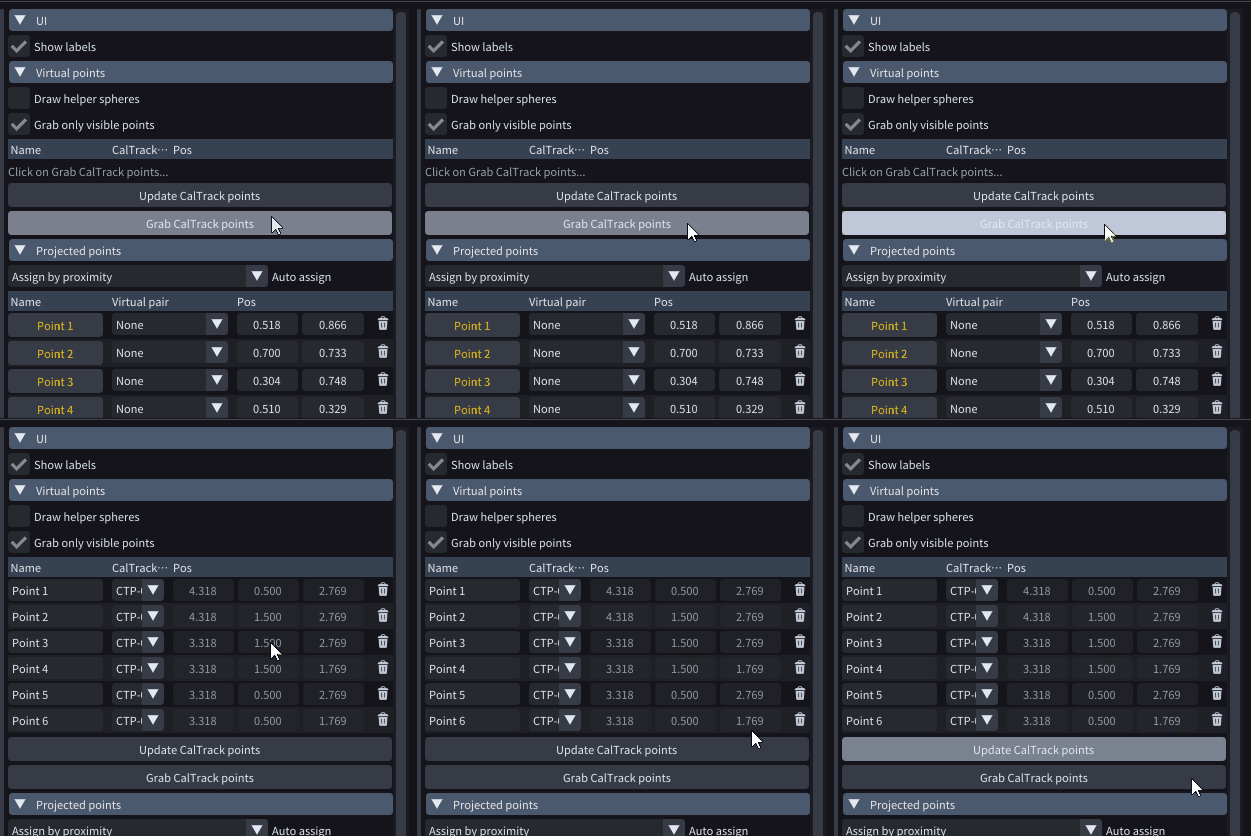
When “Grab only visible points” is enabled in 3DCal window, only points within the projector’s viewport that are visible are selected; points occluded by any objects are ignored.
**Status:** *Done* | **Requesters:** *HAV*
***
## Lightnet & Lightsync Improvements For 4.16
### Features
There are 1 new features in this epic.
#### LA4-7073: Simplified Lightsync
LightSync has been greatly simplified and made much more reliable and stable with additional diagnostic tools.
**Status:** *Done*
### Improvements
There are 1 new improvements in this epic.
#### LA4-7124: Strobe Symbols -> Numbers
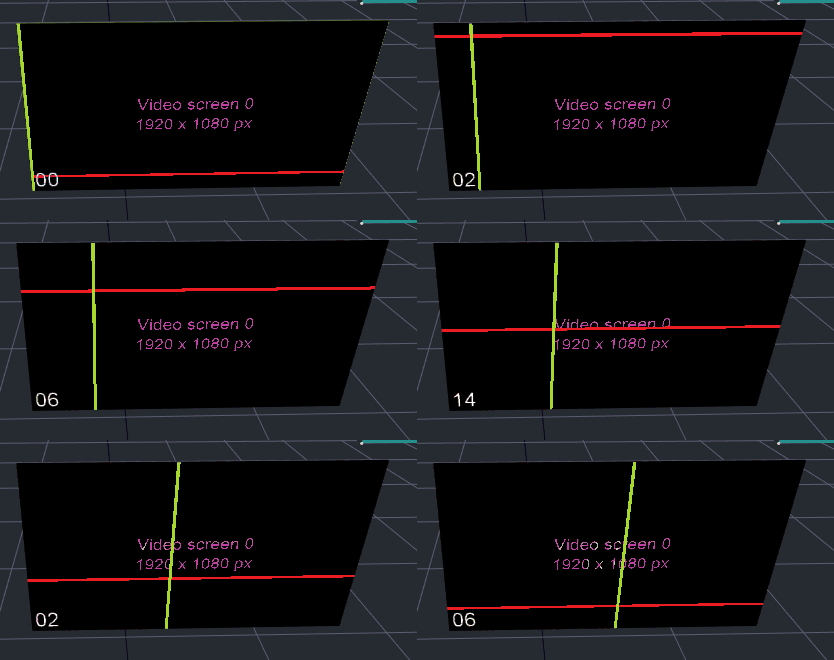
Strobe content override now displays frame numbers which allows you to more easily check if outputs are in sync.
**Status:** *Done*
***
## Qol May 26
### Improvements
There are 24 new improvements in this epic.
#### LA4-6984: Crossfade On Different Tracks
Fixed an issue where crossfades failed when layers were on different tracks. Crossfades now work consistently across tracks, ensuring smooth, reliable transitions between layered audio.
**Status:** *Done* | **Requesters:** *HIB*
#### LA4-7069: Texture Softedge Control
In Texture Softedge node keybindings were updated so Ctrl+Arrow moves between points and Shift+Arrow moves by 10 pixels.
**Status:** *Done*
#### LA4-7029: Icons Instead Of Little Cubes For Null And System Objects
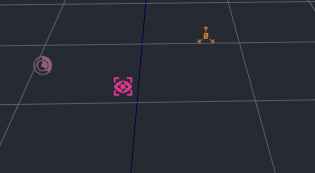
Replaced small cubes with toolbar-matching icons for Null, LightTrack, and Iris within the CalTrack system. Icons now face the camera (billboard) like people, improving readability and consistency. Icons render in the object’s Edit color; if unavailable, a white-blue tint is used.
**Status:** *Done*
#### LA4-7009: Easier Unlinking Of Child Objects
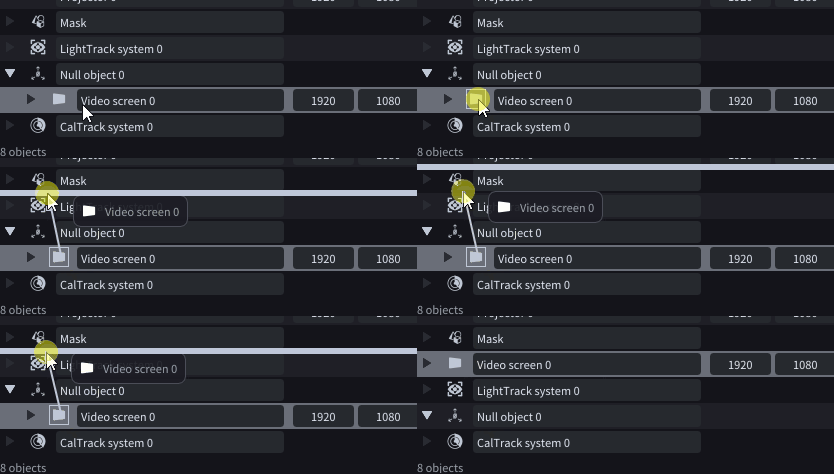
Dragging a child object out of its parent now automatically unlinks it. This streamlines hierarchy management and removes the need for manual unlink actions.
**Status:** *Done*
#### LA4-6990: Speed Multiplier Smoothness
Fixed jerky playback when adjusting the speed multiplier. Changes now transition smoothly in real time, eliminating noticeable jumps and ensuring seamless, consistent video playback.
**Status:** *Done* | **Requesters:** *HIB*
#### LA4-6989: Remove Missing Collection
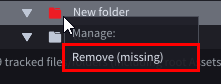
Right-clicking a missing asset or collection now shows a context menu with a disabled “Manage:” label and a “Remove” action. Selecting “Remove” deletes the selected missing asset or collection, mirroring “Remove missing…” but applied to a single item.
**Status:** *Done*
#### LA4-6923: Framerate Of Timecode Inputs
Improved timecode clarity by showing exact framerates instead of generic types such as Film, SMTP and similar. Furthermore, in DMX In window, the Time column now displays values like \[00:00:40:23] @ 24 FPS, and the Type column (e.g., “Film”) is removed. The same format is applied in the Devices window for MIDI Receiver and Audio Input nodes, ensuring consistent, explicit FPS visibility across the UI.
**Status:** *Done*
#### LA4-6886: Audio In Volume Control
Fixed an issue where clipped (overly loud) audio prevented LTC from parsing. Added a Volume control to the Audio In device node, aligned with the Audio Output node, placed at the top of the panel.- Reorganized settings: “Min consecutive frames” now appears between “Parse LTC” and “Timecode offset.”
**Status:** *Done*
#### LA4-6857: Project Stats In Performance Window
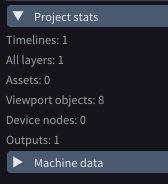
Added a Project Stats collapsible panel to the Performance window. Quickly view total counts for key assets in one place, including timelines, layers, viewport objects, device nodes, and outputs, enabling faster diagnostics and improved project oversight.
**Status:** *Done*
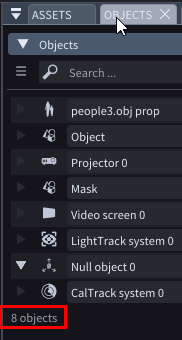
#### LA4-6856: Number Of Objects
Added object counts in the Objects window: each collection now shows its object total, and a footer displays overall totals for collections and objects, mirroring the Assets window.
**Status:** *Done*
#### LA4-6801: Reactor Logo
Added control for the front reActor LightAct logo brightness. A new “reActor logo brightness” setting appears in Preferences → UI (visible with Rental/Hardware or Server licenses). Brightness retains current default and can be adjusted via numeric input; if unavailable, a +/- control offers five steps (0%, 25%, 50%, 75%, 100%). When LightNet is enabled, the logo color follows the Machine color; otherwise it uses the default color. Existing warning/play/pause behaviors remain unchanged.
**Status:** *Done*
#### LA4-6682: Package For Support Should Include Bug Report As Well
New support package flow: Selecting Package for Support now opens a dialog titled “Package for Support” with multi-line fields for Description of the issue, Expected behaviour, and Observed behaviour. The dialog includes OK and Cancel. On OK, the app creates a summary file named YYMMDD\_HHMMSS\_supportRequestSummary.txt in the log folder and generates a package for support.zip that includes the summary. On Cancel, the dialog closes with no changes.
**Status:** *Done*
#### LA4-6673: Index Collection Is Not Clearing On New Project
Fixed an issue where creating a new project did not reset Index Manager Collections. After importing assets and confirming correct distribution, starting a new project would leave previous Collections populated instead of clearing them. Collections now reset properly when a new project is created.
**Status:** *Done*
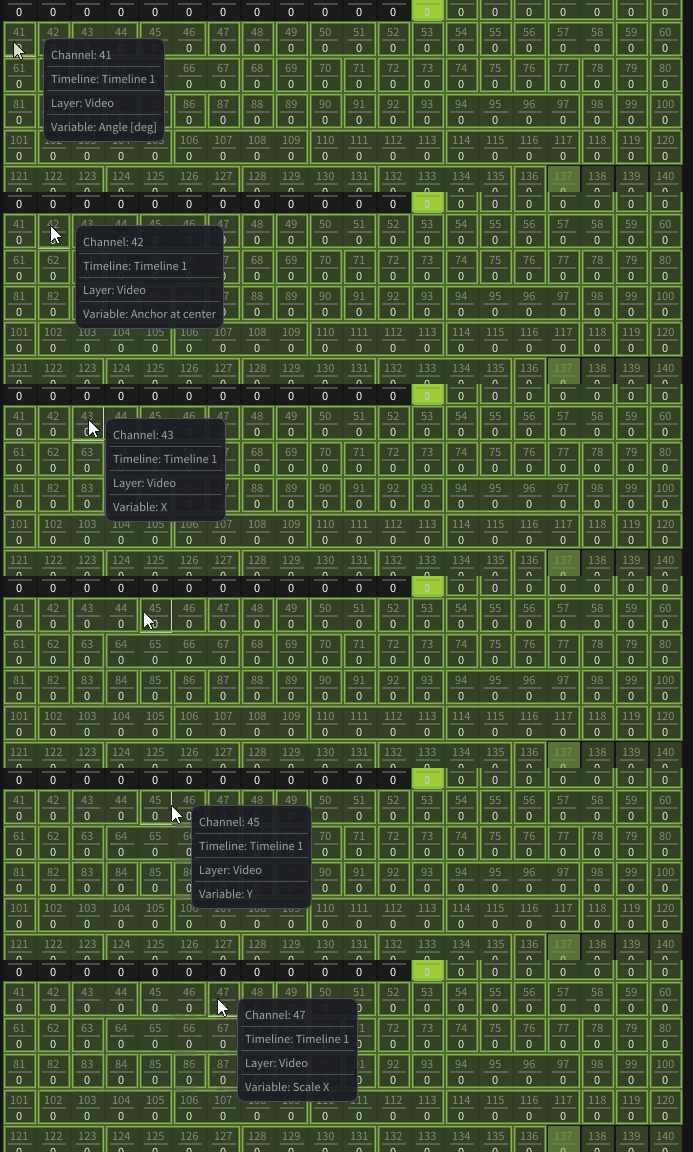
#### LA4-6667: Dmx Tooltip Should Appear Immediately
Tooltips now display their full content instantly on hover, eliminating delay and improving clarity and speed of access.
**Status:** *Done*
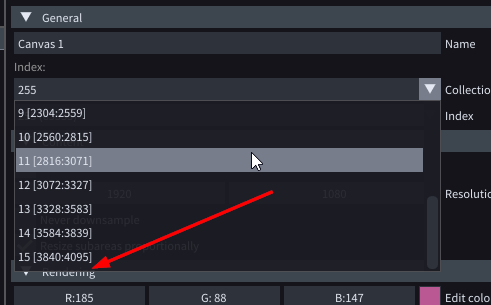
#### LA4-6641: Collection Dropdown Should Have More Than 15 Collections
Fixed a limitation where the Collection dropdown supported fewer items than the Index Manager. It now lists up to 255 collections, ensuring consistency and complete selection coverage.
**Status:** *Done*
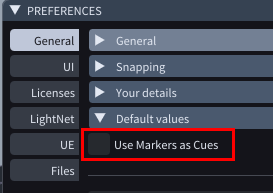
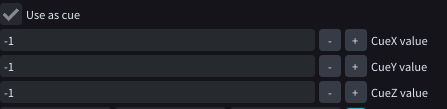
#### LA4-6637: Markers (use As Cue) Off Adjusted In Preferences
Added a “Use Markers as Cues” setting to control default cue behavior. The setting is unchecked by default. When enabled, newly created Markers have “Use as Cue” checked by default; when disabled, it remains unchecked. Sections are unaffected and always have “Use as Cue” enabled by default.
**Status:** *Done*
#### LA4-6636: Default Cue Numbers
CueXYZ behavior refined:- Default -1,-1,-1 makes a cue non-triggerable via DMX and OSC; OSC requests with -1 are ignored.- -1 disables matching for that axis.- 5,-1,-1: DMX requires X=5; OSC path: /la/playctrl/cue/5- 5,10,-1: DMX requires X=5 and Y=10; OSC path: /la/playctrl/cue/5.10- -1,-1,2: DMX requires Z=2; OSC path: /la/playctrl/cue/2This ensures consistent cue triggering across DMX and OSC while preventing invalid -1-based triggers.
**Status:** *Done*
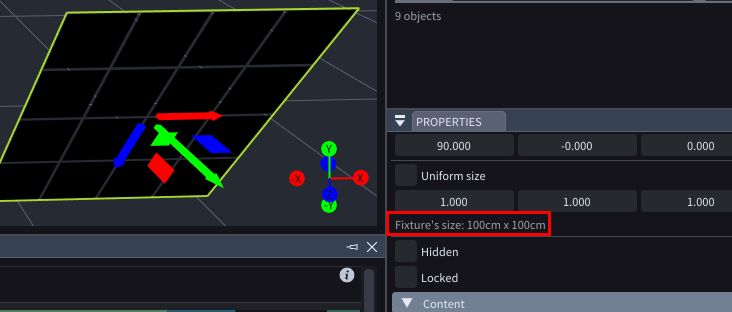
#### LA4-6583: Dmx Fixture's Physical Size
Added a read-only size display beneath Scale showing the fixture’s physical dimensions (e.g., 12 cm × 34 cm). The value updates instantly as you adjust Scale, providing accurate, at-a-glance measurements.
**Status:** *Done*
#### LA4-6571: Dpi Copy And Paste Nodes
Fixed an issue where, under non-100% DPI scaling, pasted nodes appeared offset from the cursor—slightly left and downward—instead of at the intended location. Pasting now respects DPI scaling and places nodes precisely at the cursor.
**Status:** *Done*
#### LA4-6505: Camera Position Should Be Saved In Project Folder
Camera positions are now saved in the project file instead of user preferences, ensuring views persist with the project and travel across machines and collaborators. The previous behavior that stored positions in preferences is now fixed. Projects reopen with their saved camera setups for consistent, portable workflows.
**Status:** *Done*
#### LA4-6457: Master Fade Should Affect Dmx Output As Well
Master fade now correctly affects DMX output across all universes, ensuring consistent global dimming from the top-right control. Previously, some universes were not impacted; this has been fixed.
**Status:** *Done*
#### LA4-6456: Audio In/out Node - Source Set To None
Fixed an issue where a node failed to initialize if any device in a cluster had RunOn set to None. Now, the node initializes normally when at least one device is selected. It only blocks initialization when no devices are selected or all are set to None, logging: "Cannot initialise device. Please select at least one source."
**Status:** *Done*
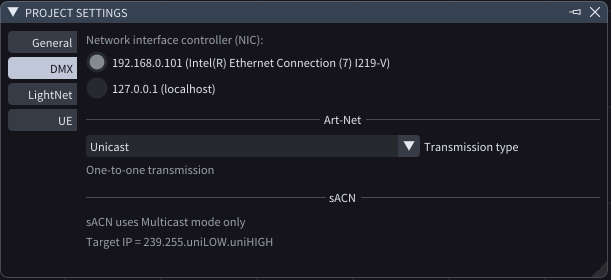
#### LA4-6443: Sacn Unicast And Broadcast Mode
Simplified DMX settings for sACN by removing the transport mode dropdown. The panel now displays a read-only note: “sACN uses Multicast mode only,” mirroring the existing disabled hint: “Target IP = 239.255.uniLOW\.uniHIGH.” This clarifies configuration and prevents unsupported mode selection.
**Status:** *Done*
#### LA4-6067: Jump To Previous/next Cue
Added Previous and Next buttons to each timeline’s header in the CueList window, enabling quick navigation to the previous or next cue.
**Status:** *Done*
### Fixes
There are 1 new fixes in this epic.
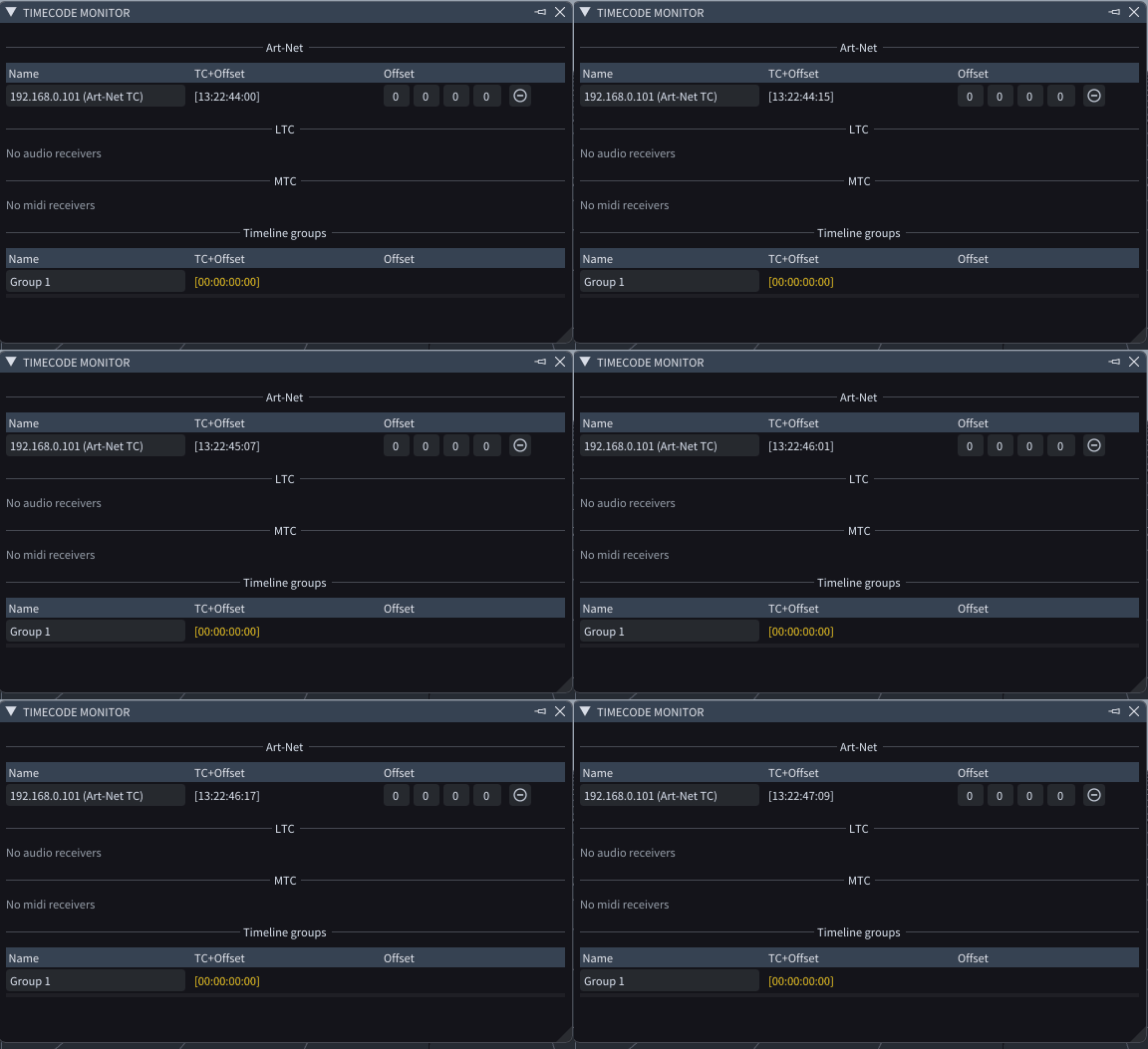
#### LA4-7065: Timecode Monitor Hours And Minutes
Fixed an issue in Timecode Monitor where hours and minutes were not propagated. Incoming timecodes like 01:15:09:15 displayed as 00:00:09:15, and offsets (e.g., 02:18:21:10) applied only seconds and frames, showing 00:00:21:10. Timecodes now display correctly with full hours and minutes, and offsets are applied in all fields.
**Status:** *Done*
***
## Audio Upgrade 25/1
### Features
There are 1 new features in this epic.
#### LA4-5662: Asio
ASIO audio drivers are now fully supported. You need to use -asio launch argument to enable them.
**Status:** *Testing*
***
## Node Upgrades For 2026
New and upgraded nodes added in LightAct 4.13.
### Improvements
There are 12 new improvements in this epic.
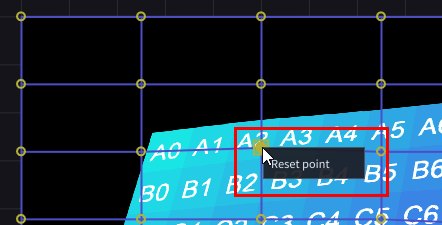
#### LA4-6215: Reset A Single Mesh Warp Point
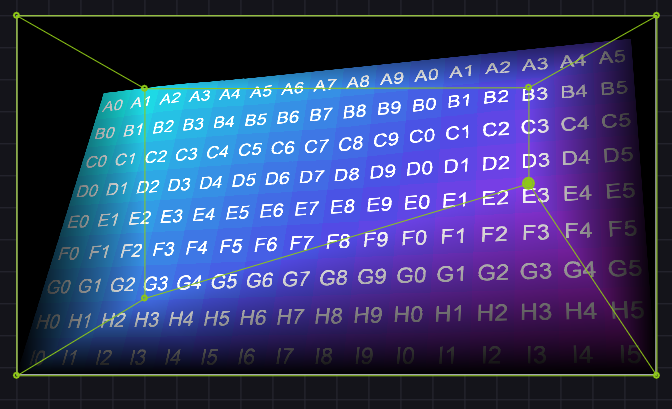
Add a “Reset point” option to the Mesh Warp node’s right-click menu. When invoked, the selected point should reset relative to its neighboring control points (respecting the local mesh context), not to its absolute original/default position. Currently, reset snaps the point to the top edge; it should instead return to the contextually correct location.
**Status:** *Done* | **Requesters:** *HIB*
#### LA4-6956: Nodes Gui Cleanup
\- Removed duplicate checkbox from the Subtract OpenCV node properties; it now appears only on the node.- Corrected Key Up/Down node: capitalized “Down” and prevented the Integer dropdown from overlapping the “D” output pin.- Adjusted Run Once node layout so the Reset button no longer overlaps the “Triggered:” label.All issues are now fixed.
**Status:** *Done*
#### LA4-6852: Minor Improvements Of Go To Section/marker/landmark Nodes
\- Simplified navigation nodes: - Go to Section and Go to Marker: Removed Timeline input to restrict jumps to the current timeline only. - Added Mode (Integer) dropdown with: - Next: jump to the next section/marker (no wraparound; ignores Section/Marker selection). - Previous: jump to the previous section/marker (no wraparound; ignores Section/Marker selection). - Selected: jump to the chosen section/marker. - Go to Landmark: Replaced boolean input with an Integer dropdown (Previous, Next).
**Status:** *Done*
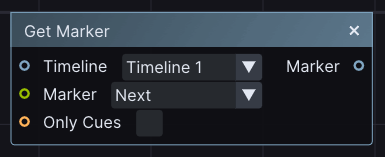
#### LA4-6851: Get Marker Node
Introduces a new “Get marker” node to retrieve markers relative to the playhead. Inputs include:- Timeline: select the target timeline- Marker: choose Previous or Next- Only Cues: return only markers with Use as Cue = trueOutputs an LAObject reference to the matched marker: the first marker before the playhead when Previous is selected, or the first after the playhead when Next is selected.
**Status:** *Done*
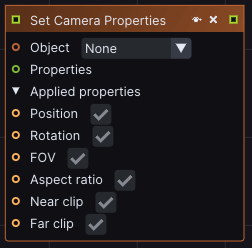
#### LA4-6849: Set Camera Properties Node Rework
Moved checkbox options from Node Properties into the node UI. Introduced a collapsible “Applied properties” pin—aligned with the Notch Block node pattern—that aggregates all boolean inputs for faster access and a cleaner workflow.
**Status:** *Done*
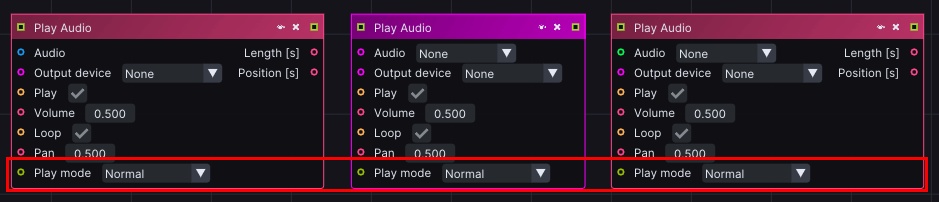
#### LA4-6847: Play Audio Node Rework
Replaced the Solo run checkbox in the Play Audio node with a Play Mode dropdown for clearer control. Available modes: Normal (previously Solo run disabled), Freerun (equivalent to Solo run enabled), and Freerun & Restart. Timecode is no longer used.
**Status:** *Done*
#### LA4-6595: Auto-create Layer Variables When Copying Node Layout To Another Layer
Copying a node layout between layers now auto-creates and links all associated Layer Variables. When duplicating nodes (e.g., a Render Texture with a Variable Group), the referenced variables are automatically generated and connected in the target layer.
**Status:** *Done*
#### LA4-6593: Recreate Node Automatically
Added a context (right-click) menu action to automatically recreate a node from its template. When triggered, the node is rebuilt and, where possible, existing connections are restored automatically. This streamlines template updates and improves workflow consistency with minimal manual steps.
**Status:** *Done*
#### LA4-6512: Get Data From Device - Name Pin
Fixed an issue where the Name output pin of the Get Data from Device node retained the last selected device value after switching back to None. The output now correctly reflects the selection (None or device), matching Get Data from Video behavior.
**Status:** *Done*
#### LA4-6510: Add Latency Node
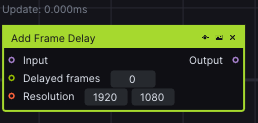
Introducing the Add Frame Delay node to control latency by buffering frames: it fills the buffer on input while outputting older frames from the buffer. All configuration properties are embedded directly in the node, aligning with LA4-6428. Useful for timing alignment and synchronization.Search keywords: latency, sync, frame delay.
**Status:** *Done*
#### LA4-6490: Timeline Group Nodes
Added new nodes for Timeline Group control: “Get Data → Timeline Group” and “Set Data → Timeline Group (Property).” These nodes let you programmatically read and modify key properties, including Engaged, Disengaged, and enabling/disabling the grace period, streamlining timeline automation and logic.
**Status:** *Done*
#### LA4-6256: Texture Processing Nodes Control
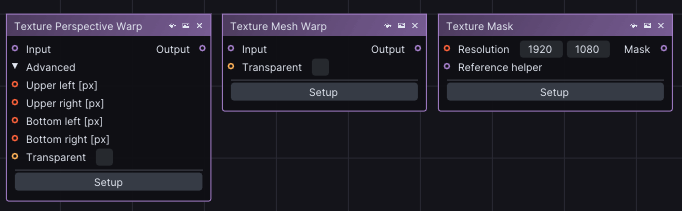
Input controls for all Texture processing nodes are standardized:- Arrow: move selected point by 1 px- Shift + Arrow: move by 10 px- Ctrl + Arrow: navigate between pointsTexture Mask: fixed an issue where Arrow keys incorrectly cycled points instead of moving them by 1 px.Texture Perspective Warp and Texture Mesh Warp: added support for navigating between points with Ctrl + Arrow\.Optional 100 px move (Ctrl + Shift + Arrow) behavior remains unchanged.
**Status:** *Done*
## Other Upgrades
There are 2 new upgrades in this epic.
#### LA4-7034: Lock/unlock Layer
Fixed an issue where locked layers could not be unlocked. You can now right-click a locked layer to access a single-option context menu: Unlock.
**Status:** *Done*
#### LA4-6982: No Popup Menu If Dragging From Thrower To Timeline Editor
**Status:** *Done*