> For the complete documentation index, see [llms.txt](https://docs.lightact.com/llms.txt). Markdown versions of documentation pages are available by appending `.md` to page URLs; this page is available as [Markdown](https://docs.lightact.com/layers-and-layouts/layer-layouts/nodes/order-of-node-execution.md).
# Order of Node Execution
Let's say that you are using *Tick node* as your Lifeline generator. You’ll see that it has only one *Lifeline* output which is executed every frame.

The order is as follows:
1. LightAct will execute the node connected to the **Tick** node
2. In order to execute it, it will execute all the sub-chains connected to this node.
3. When it's done with step 2, it will look for the next node connected with the lifeline and so on
4. The layer execution ends when all connected nodes are executed. Non-connected nodes are not executed.
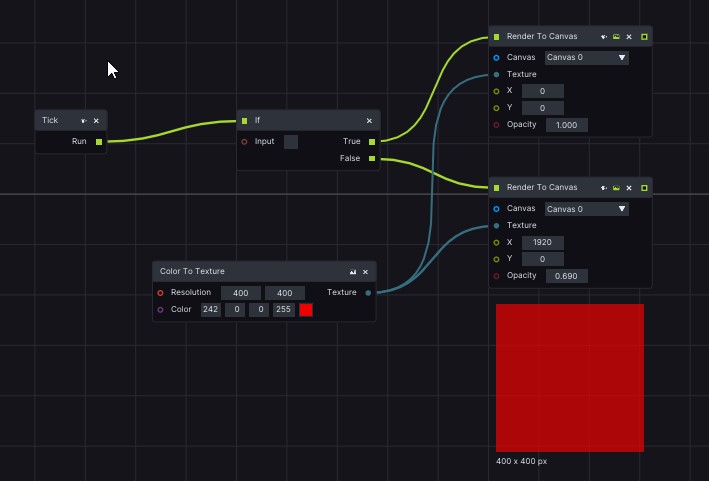
You can also split *Lifeline* node by using conditional nodes or delay its execution and so on. There are many ways you can play with how a particular layout is executed. For example, the layout below renders a red 400 x 400 px square on a canvas at different positions depending on the value of the **Input** boolean in the **If node**.