> For the complete documentation index, see [llms.txt](https://docs.lightact.com/llms.txt). Markdown versions of documentation pages are available by appending `.md` to page URLs; this page is available as [Markdown](https://docs.lightact.com/layers-and-layouts/layer-layouts/nodes/computer-vision.md).
# Computer Vision
## CV Variable Type
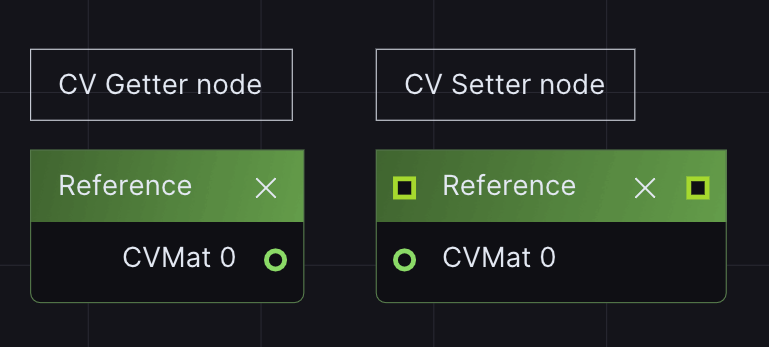
LightAct has a special variable type called CV Mat or CV, which stands for Computer Vision. As the name indicates, this variable type has been specifically designed for computer vision operations, which in LightAct can be executed through Computer Vision nodes.
## Convert node
All Computer Vision nodes in LightAct expect a CV variable type as an Input and produce a CV variable type as an Output. However, most often, our goal is to apply Computer Vision algorithms on incoming camera video streams, which in LightAct are often rendered out in the Texture variable type.
Additionally, after applying Computer Vision operations to a video, we often want to visualize the outcome. Since all Computer Vision nodes output a CV variable type, in order to visualize it, we have to turn the stream back into a Texture variable type.
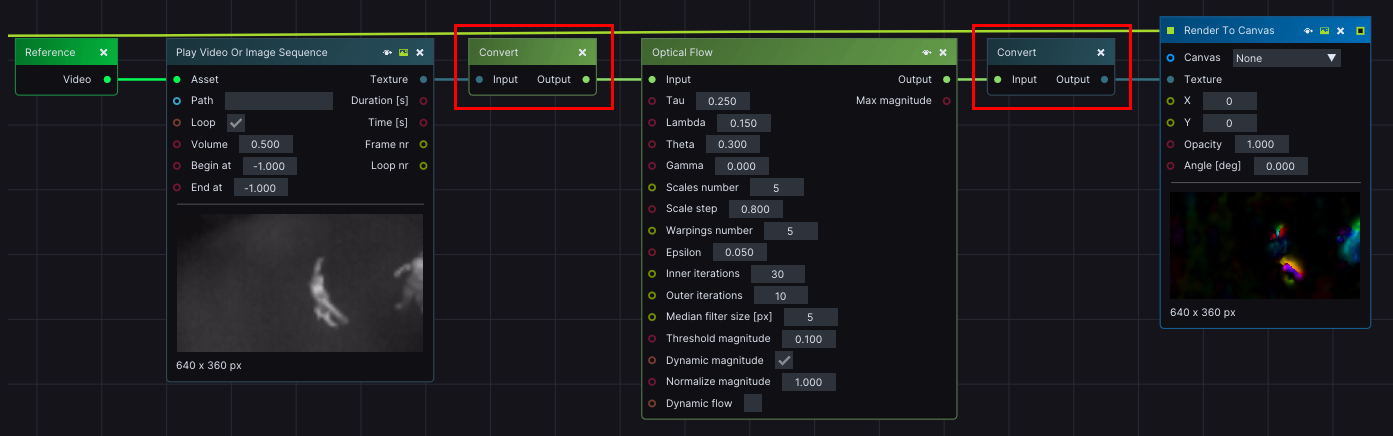
Because of this, LightAct offers two useful types of **Convert** nodes:
1. Texture to CV,
2. CV to Texture.
which repack incoming Texture data to a format suitable for the CV variable type and vice versa.
### 1. Texture to CV
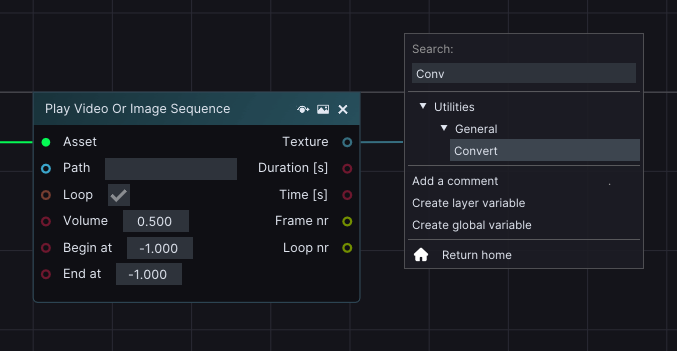
To insert this node in the *Layer Layouts*, drag from the *Texture* output pin of a pre-existing node. In the *Search* menu, under *Utilities -> General*, click on **Convert** node.
### 2. CV to Texture
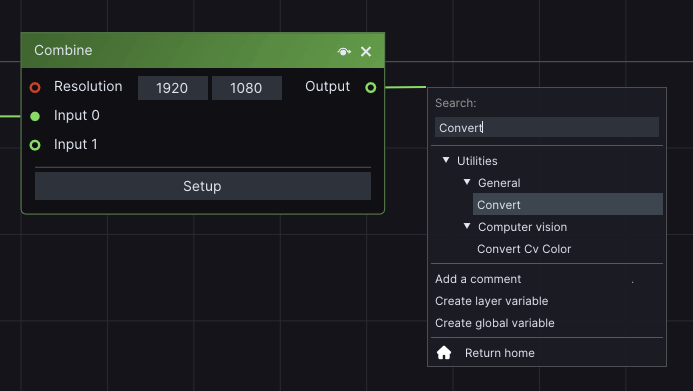
Similarly, to insert this node in the *Layer Layouts*, drag from the *CV* output pin of a pre-existing node. In the *Search* menu, under *Utilities -> General*, click on **Convert** node.
A typical *Computer Vision* workflow contains both types of *Convert* nodes.
## Other Computer Vision nodes
LightAct supports a variety of Computer Vision nodes that implement different algorithms. You can find out more about each one, on its dedicated page:
{% hint style="warning" %}
When working with CV nodes, please make sure to keep the resolution of incoming and outgoing CV streams low for better use of system resources.
{% endhint %}
{% content-ref url="/pages/Fh1OArDtu4UOc1l6ZdnQ" %}
[Optical Flow](/layers-and-layouts/layer-layouts/nodes/computer-vision/optical-flow.md)
{% endcontent-ref %}
{% content-ref url="/pages/evFXh5HYJ2IuZV2aJ7j8" %}
[Find Blobs](/layers-and-layouts/layer-layouts/nodes/computer-vision/find-blobs.md)
{% endcontent-ref %}
{% content-ref url="/pages/QmAy46cY6Q8NYVuTIMVc" %}
[Mog2 Background Subtraction](/layers-and-layouts/layer-layouts/nodes/computer-vision/mog2-background-subtraction.md)
{% endcontent-ref %}
{% content-ref url="/pages/Svup7fwTSvsbu7QjtJ23" %}
[Combine](/layers-and-layouts/layer-layouts/nodes/computer-vision/combine.md)
{% endcontent-ref %}
{% content-ref url="/pages/fUq6kxGBYaOktww2DMlF" %}
[Subtract](/layers-and-layouts/layer-layouts/nodes/computer-vision/subtract.md)
{% endcontent-ref %}